
You can set shipping costs in Marvia either at the supplier level or at the product level.
This article explains how to configure shipping costs on the product level.
How to set shipping costs for products
-
Navigate to "Marketing Shop" and then "Products".
-
Create a new product or open an existing product you want to edit.
-
Locate the Delivery module in the modules list.
If the module is not visible, select "Edit modules" and activate the Delivery module to the product. -
Select the Shipping cost type from the dropdown.
This determines how shipping will be calculated for the product.
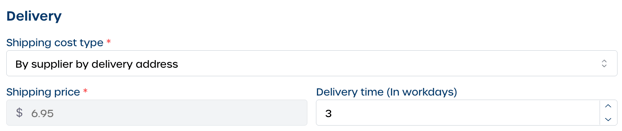
Note: For more information on how each shipping type works, see How do I use the Delivery module in Product Settings?
-
Enter the required shipping details based on the selected type.
-
Select "Save" to apply your changes.