
Yes, you can set up announcements on the portal's homepage for specific groups of users or locations.
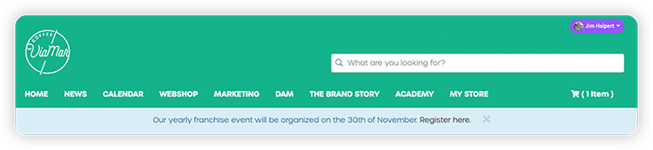
Create an announcement
-
Navigate to "Communication" and then "Announcements" in the admin navigation panel.
-
Select "New Announcement" in the top right.
-
Enter a name for your Announcement.
-
Select the type such as info, warning, danger, or success.
-
Select "Create".
-
Enter the content for your Announcement.
-
Set display options such as duration and frequency.
Set permissions
- In the Announcement settings, select "Permissions" in the side navigation.
- Use the dual list to select which user groups or locations should see the Announcement.
- Select "Save" to apply your settings.
⚠️ Important: If you do not select any groups or locations, the Announcement will be visible to all users.