
If an asset is deleted by mistake, you can restore it as long as it is still within the 30-day deleted asset recovery period. This allows you to recover files without needing to upload them again.
How to restore deleted assets
You can restore assets directly from the DAM asset overview.
-
Navigate to "DAM" and then "Assets".
-
Open the "Actions" menu in the top-right of the page.
-
Select "Restore".
-
Find the asset you want to restore and press "Restore"
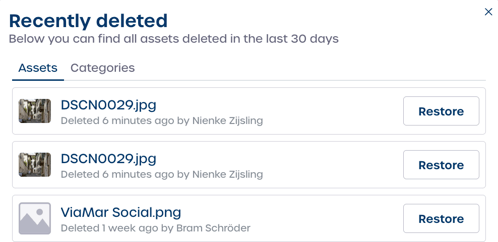
⚠️ Important: Deleted assets can only be restored within 30 days. After 30 days, the files are removed permanently and cannot be recovered.