
Yes, you can add one or multiple images to a product. Product images help users understand what they are ordering and improve the overall product presentation in your portal.
How to add images to a product
-
Open an existing product or create a new product.
-
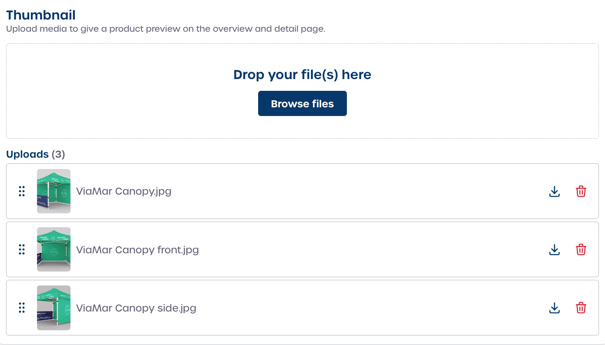
In the product settings, locate the Thumbnail section in the general product settings.
-
Add your images by dragging them into the upload area or selecting Browse files to choose images from your computer.
You can upload one image or multiple images at the same time.
Managing product images
After uploading images, you can manage them directly in the Thumbnail section.
-
Reorder images: Drag and drop the images to change their order.
-
Download images: Select the download option to save the image locally.
-
Delete images: Remove an image by selecting the delete option.
The first image in the order will be displayed as the main product thumbnail.